STS: Internet and Society Lesson Plan for
September 17, 1999.
News
Flash: Rutgers Camden is open today, September 17 (even though New
Brunswick is flooded out.)
This class will focus on Artificial Intelligence.
We will review the fundamental approaches in this field.
Part One - Topics to be Covered in Class.
These are things you should review if you should have to miss class.
They are not reading assignments.
-
The graph at the left is from a
site which is helpful if you happen to read French. The caption
says: Formation de 3 proto-concepts composes d'un , de 5 et 7 neurones.
On peut remarquer toutes les neurones d'un proto-concept sont reliees entre
elles par au moins une synapse. (Formation of three proto-concepts
composed of one, five and seven neurons. One can remark that all
the neurons of a proto-concept are linked (?) to each other by at least
one synapse). A proto-concept is a group of neurons stimulated by
a particular stimulus such as a color or a geometric symbol.
-
We will also review the "Pseudo-Code" from three
Artificial Intelligence algorithms (from The
Age of Spiritual Machines by Ray Kurzweil}. His book is interesting,
and gives a lot of future visions. It also has a n interesting holographic
(I think) cover. This will give you an idea of what an algorithm
looks like. An algorithm is a set of detailed instructions for a
computation which can be done by a computer.
We will try out some interesting Artificial
Intelligence sites. mostly Chatterboxes.
Assigned reading on this week's lecture
topic:
Homework assignments to be completed
by September 24:
-
write 250 to 500 words in your WEB Diary, with
links to 3 to 5 WEB sites you visited. You should do this every week.
By next week, September 24, you should have two weekly entries completed.
-
Post your Home Page (index.html) and your Internet
Diary (webdiary.htm) on your own WEB site, which should be your html directory
on clam. Instructions
for doing this are available online. It is easiest to publish
from a computer at Rutgers, although you can do it from home if you know.
Doing it from home requires finding
out the address of your html directory - if you publish your page at
Rutgers, this information is filled in automatically. Computer Center
staff will provide help as they do to all students working on assignments.
Special
help is available to groups of 10 or more students who make
an appointment with Ron Thornton at the computer center.
-
An important point: use the Publish
command to publish your files to your directory. Do not use the Save
command, this messes up the file permissions. If you try to access
your WEB page and get a message saying Forbidden
in
nasty type, do not despair. What you need to do is run the setup_web
program to redefine your files. To do this, you must telnet to clam
(using the telnet program in the Communications folder, or by typing telnet://clam.rutgers.edu
in the Netscape netsite box). Log onto your account with your account
name and password. Using the lush menu system, go to communications/www/setup_web.
Ask the program to redefine your files. Computer center personnel
can help with this problem too.
-
The final step is to make sure you can read
your files using Netscape Composer. Just type your own address into
the browser. If your account name is jstudent you would type
http://clam.rutgers.edu/~jstudent.
If
you published your home page as index.html it should appear, just
as mine does when yo type
http://crab.rutgers.edu/~goertzel. If
you did the link from your home page to your Web Diary page correctly,
you should be able to click on the link and go to that page. Print
out both of these pages, and hand them in to Andrew Toy at the beginning
of class next week, September 24.
You may, of course, find it useful to
study the readings for
next week's class in advance.
 from
rule based or Von Neumann AI programs, we will to Kevin
Gurney's class at the University of Sheffield.
from
rule based or Von Neumann AI programs, we will to Kevin
Gurney's class at the University of Sheffield.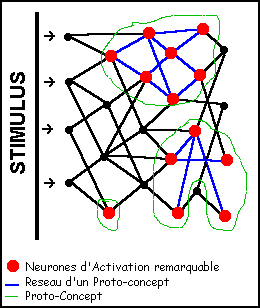 His summary
of the differences between Neural Net and traditional Von Neumann machine
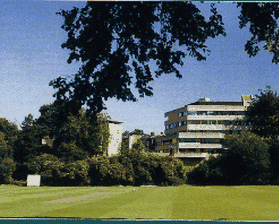
computers is helpful. (The photo is a view of the Psychology
Department at the University of Sheffield). For more information,
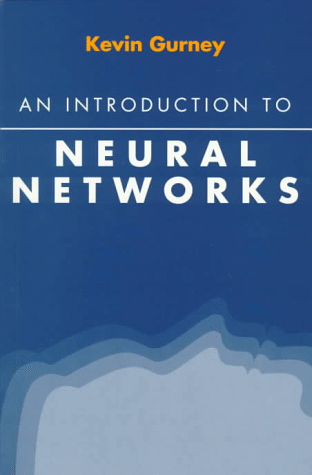
consult Kevin Guerney's book An
Introduction to Neural Networks
His summary
of the differences between Neural Net and traditional Von Neumann machine
computers is helpful. (The photo is a view of the Psychology
Department at the University of Sheffield). For more information,
consult Kevin Guerney's book An
Introduction to Neural Networks